


All Document Reader PDF Viewer
4.590.00 Reviews
App Specs
- Version
- 3.5
- Updated On
- License
- Free
- Downloads
- 500,000+
- Developer
- Solution Mart LLC
- Categories
- Productivity
- Platform
- Android
Screenshots
 Analysis by AppCompare
When I need to check a document away from my desk, I want to open it quickly, find the relevant page, and get back to whatever I was doing. All Document Reader PDF Viewer is built for that kind of everyday convenience: one place to read several common document formats on a phone. My view is that its value depends less on replacing every office app and more on making routine document access simpler.
Quick access, with realistic speed expectations
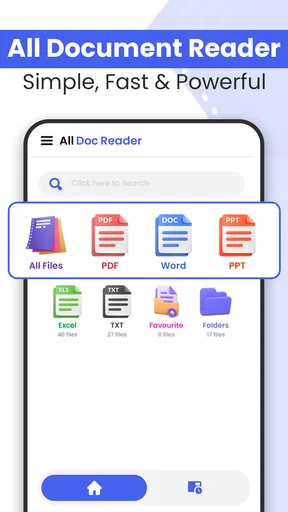
The first thing I look for in a document reader is whether it gets me from the file to the page without unnecessary fuss. The app’s straightforward layout and document categories make that goal easy to understand: PDFs, Word files, spreadsheets, presentations, and text documents are grouped for browsing. That is useful when a file has landed on my phone and I need to locate it without remembering which folder I saved it in.
Opening a file is only one part of feeling fast. For practical use, I also care about whether I can resume reading, jump to a useful section, or search for a phrase instead of paging through everything. Bookmarks and search can make those tasks less tedious, especially in a long report or a set of class notes. I would treat them as navigation aids, though, not as a substitute for a dedicated editing or research workflow.
There is a useful distinction between a reader that feels responsive with ordinary files and an office suite designed for intensive work. If I only need to inspect a document, a focused viewer is often the quicker choice because I am not opening a broader workspace just to read. If I need to revise complex formatting, compare versions, or collaborate on a shared draft, the familiar app that created the file may still be the better tool.
Where it helps during a busy day
A realistic example is getting a meeting agenda or a presentation file shortly before heading out. I can use a multi-format reader to check the material on my phone rather than wait until I have a laptop. The same idea applies to a student reviewing a handout between classes, or someone checking a spreadsheet attachment while away from a computer. In those moments, being able to open different document types in one app is more useful than having a separate reader for each one.
For a long PDF, I would make a small habit of bookmarking the point where I stop, especially if I expect to return to it later. That avoids relying on memory or scrolling through pages to find my place. Search is better for locating a specific name or term; a bookmark is better for preserving a reading position. Using the two for different jobs is a simple workflow improvement that can save time.
For spreadsheets and presentations, I would set expectations around review rather than full production work. A phone screen is naturally less comfortable for checking wide tables, detailed charts, or slide layouts than a larger display. A reader can help me confirm what a file contains, but if a decision depends on precise alignment or small figures, I would move to a tablet or computer before acting on it.
Worth Reading Before You Choose

EA SPORTS FC Mobile 26 Is a Bigger Football Game, but It Takes Time

Flipboard Shows What News Apps Must Do Beyond the Feed

Switching to Android Auto Means Rethinking Your Driving Routine

Google Calendar Makes a Crowded Week Easier to Manage

Ludo King Makes the Most of the Minutes Between Plans

Baby Panda World Brings Quick Play to Modern Phones, but Its Game Library Feels Busy
Everyday document reading and performance
As a productivity app from Solution Mart LLC, All Document Reader PDF Viewer aims to make document access less fragmented. It is free to download, has an Everyone age rating, and offers optional in-app purchases at $14.99 per item. Its 5.0 average comes from 106 ratings, while 12 written reviews give readers additional feedback to consider; it has passed 100K installs. The app was released on December 4, 2025, and version 2.9 requires Android 6.0 or later. Those details make it accessible to many Android users, though the best choice still depends on what they need to do with their files.
How it fits alongside other document apps
The usual alternatives tend to fall into two groups: a dedicated PDF reader, or a full office suite that can create and edit documents as well as open them. This app sits closer to the convenient all-in-one reading option. That can be appealing if my main task is opening a mix of file types without switching between several viewers. A dedicated PDF tool may suit someone whose work revolves around PDF markup and detailed controls, while a full office suite is the more sensible choice for frequent editing or collaboration.
That trade-off matters because support for multiple formats does not automatically mean every file will look exactly as it does in the app that created it. With a complex spreadsheet, unusual fonts, or a carefully designed presentation, I would check important details before relying on the phone preview. For casual reading, a compact viewer is convenient; for final review of layout-sensitive work, I prefer the original creation tool or a larger screen.
I would also separate reading from file management. A categorized home screen can make it easier to browse documents, but I would still keep important files in clearly named folders and avoid treating any reader as my only organizational system. A helpful habit is to save a copy where I expect to find it later, then use the reader to access it. That reduces the chance of wasting time searching when I am in a hurry.
Heavy-use moments and sensible workarounds
When I am moving between several files, the most useful test is not simply whether each one opens, but whether the app keeps my task clear. I would open the document I need, use search for a specific detail, and bookmark a place I plan to revisit. For a presentation or spreadsheet that needs careful scrutiny, I would make a note of the issue and return to it on a larger display rather than trying to make a phone do every job.
Large or complicated documents are also where any mobile reader can feel constrained by the device. Screen size, available memory, and the document itself all affect the experience, so I would not assume that a file that opens comfortably on one phone will behave identically on another. If a document takes longer than expected, a practical first step is to close other demanding apps and reopen the file. Keeping a local copy available can also be more convenient than depending on a connection when I need to read on the move.
For a workday with repeated reference checks, bookmarks can serve as a lightweight personal index: mark the sections I revisit, then use search when I need a term that may appear elsewhere. That is more efficient than repeatedly scrolling from the beginning. It is not the same as adding structured notes or editing content, so anyone who needs annotations as part of a formal review should choose a tool built around that job.
Reliability, device limits, and what to expect
In my experience, the app has felt steady during routine reading, and I have not run into interruptions that changed how I use it. Still, reliability is not just a question of crashes. It also means having a sensible fallback when a file is awkward: try opening it again, locate another copy if the first is incomplete, and use the app that produced it if its layout matters. I would keep that approach in mind for documents that are urgent or business-critical.
Resource demands are best judged in context rather than by assuming every phone will respond the same way. A short text file and a dense document with many pages are different workloads, and an older device may feel less responsive than a newer one. The app supports Android 6.0 and later, but that minimum does not guarantee identical performance across devices. If my phone is already low on storage or running many apps, I would leave room for normal system use and avoid judging the reader from one unusually heavy file.
There is also a practical privacy habit worth keeping with any document app: open only files I trust, and be thoughtful about where I share them. When a document contains personal or work information, I would double-check the recipient and destination before sending it onward. Convenience is valuable, but it should not replace care with sensitive material.
Who will appreciate it—and who may prefer something else
I would recommend this kind of reader to someone who regularly receives PDFs, Word documents, spreadsheets, or presentations and mostly needs to view them on a phone. It is particularly handy for students checking course materials, commuters reviewing a file before an appointment, and people who want one familiar place to open varied documents. The free starting point also makes it easy to try for basic reading, while the optional purchases are something to consider if a paid item becomes relevant to a person’s needs.
I would skip it as my main work tool if my day depends on editing long documents, building spreadsheets, changing slide designs, or collaborating on files with colleagues. In those cases, a full office suite is likely to be more appropriate. I would also choose a specialist PDF app if precise markup and advanced PDF handling are the main reason I am installing anything. The best alternative is the one matched to the task, not necessarily the one with the broadest list of formats.
Before making it part of a routine, I would test it with the kinds of files I actually receive: a regular PDF, a spreadsheet I need to inspect, and a presentation with a layout I care about. That small check helps reveal whether the phone display is adequate and whether the reader fits my workflow. It is more useful than assuming that every format behaves identically just because the app is intended to handle several types.
My performance verdict
Overall, I see All Document Reader PDF Viewer as a convenient option for opening and reading mixed documents on Android, rather than a replacement for every office or PDF tool. Its strongest case is quick access, straightforward browsing, and navigation that can make long reading sessions easier. I would keep it in mind for everyday reference, while turning to a more specialized app when precise editing, collaboration, or layout checks matter.
If your main question is whether it can simplify document reading on the go, I think it is worth trying, especially if you often switch between file types. If you need a complete production workspace, you may be happier with a dedicated office suite. The useful middle ground is to let this app handle convenient viewing and use the right specialist tool when the task calls for more control.
First impressions
When I first launched All Document Reader PDF Viewer, I was greeted with a clean and straightforward interface. You know how some apps just bombard you with options? Not this one. Everything is laid out in a way that makes sense, even if you’re not a tech wizard.
The main screen offers quick access to your documents, with categories like PDFs, Word files, Excel spreadsheets, and more. I loved how it automatically organized my files. It’s like having a personal assistant for your documents.
Features that stand out
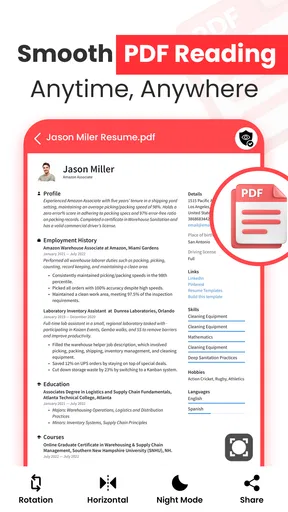
Let’s talk features, because there are quite a few that make this app worth downloading. First off, the PDF Viewer capabilities are top-notch. I opened a 100-page document, and it loaded faster than you can say "where’s the Wi-Fi?"
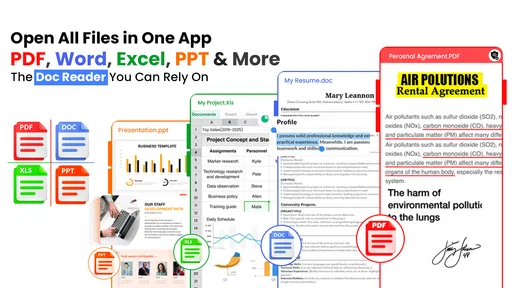
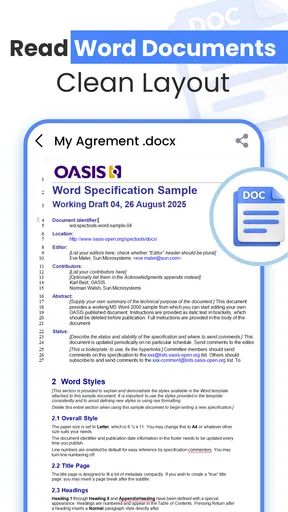
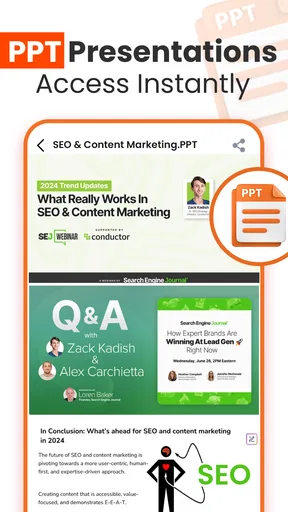
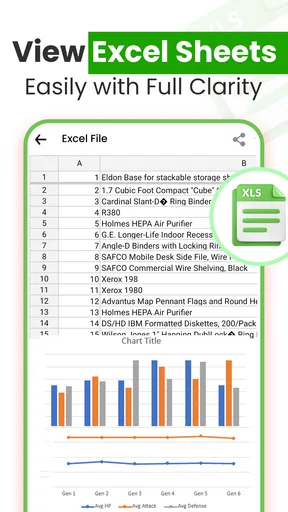
But it doesn’t stop at PDFs. This app supports a plethora of file formats including DOC, DOCX, XLS, XLSX, PPT, and TXT. So, whether you’re reviewing a PowerPoint presentation or editing a Word document, you’re covered.
One feature that really impressed me was the ability to bookmark pages. It’s such a simple thing, but when you’re constantly flipping through large documents, it’s a lifesaver. The search functionality is also incredibly responsive, helping you find exactly what you need in seconds.
Usability and design
Now, let’s chat about usability. I’m a big fan of apps that don’t make me hunt for settings or features. It nails it in this department. The design is intuitive, with a minimalistic approach that keeps distractions at bay.
The app also includes a night mode, which is perfect for those late-night reading sessions. Trust me, your eyes will thank you. Plus, the dark theme just looks cool, if I’m being honest.
Performance and reliability
I’m not going to lie, I’ve used document apps before that crashed more often than not. Thankfully, that wasn’t the case here. Over the past week of using it, I haven’t experienced any hiccups. It’s been smooth sailing all the way.
File loading times are quick, and navigating through documents is seamless. Whether you’re reading, editing, or sharing files, the app performs consistently well.
Sharing and connectivity
Sharing documents is a breeze with this app. A couple of taps and you can email a file or upload it to your preferred cloud storage. It supports integration with platforms like Google Drive and Dropbox, which is super handy when you’re working on multiple devices.
I also appreciated the option to print directly from the app. It’s those little conveniences that make a huge difference in the long run.
My take after using it
All in all, it’s a solid choice for anyone who needs to manage documents on their phone. It’s user-friendly, reliable, and packed with features that make document handling a breeze. Whether you’re a student, professional, or just someone who likes to keep things organized, this app is definitely worth checking out.
So, if you’re tired of your current document reader or just need something that can handle multiple file types without breaking a sweat, give this app a try. You can find it in the app catalog and see for yourself. Happy document reading!
Pros
- Supports multiple document formats.
- Fast and responsive interface.
- Offline access to files.
- User-friendly navigation.
- Lightweight and efficient app.
Cons
- Advertisements can be intrusive.
- Limited editing features.
- No cloud integration.
- Lacks advanced security options.
- Occasional crashes reported.
FAQs for All Document Reader PDF Viewer
What file formats does All Document Reader PDF Viewer support?
All Document Reader PDF Viewer supports a wide range of file formats, including PDF, DOC, DOCX, XLS, XLSX, PPT, PPTX, TXT, and more. This makes it a versatile tool for users who need to access various types of documents without switching between multiple apps.
Is All Document Reader PDF Viewer free to use?
Yes, All Document Reader PDF Viewer is available for free with basic features. However, it may offer in-app purchases or a premium version that provides additional functionalities, such as ad-free usage or advanced editing tools. Check the app store for specific pricing details.
Can I annotate or edit documents using this app?
While All Document Reader PDF Viewer primarily focuses on viewing documents, some versions might offer basic annotation features. However, if you require extensive editing capabilities, you might need to look for apps specifically designed for document editing or check if the app offers a premium version.
Does All Document Reader PDF Viewer require an internet connection?
No, All Document Reader PDF Viewer does not require an internet connection for basic document viewing. You can open and read documents offline. However, some features, such as cloud storage integration, may require internet access to download or sync files.
Is All Document Reader PDF Viewer safe to download and use?
Yes, All Document Reader PDF Viewer is generally safe to download from official app stores like Google Play Store or Apple App Store. Ensure that you download from these trusted sources to avoid any risk of malware. Regularly check for updates to keep the app secure.


